
AUTHOR
Articles by ggggqqqqihc
MYSQL
How to Backup MySQL Database automatically (for Linux users)
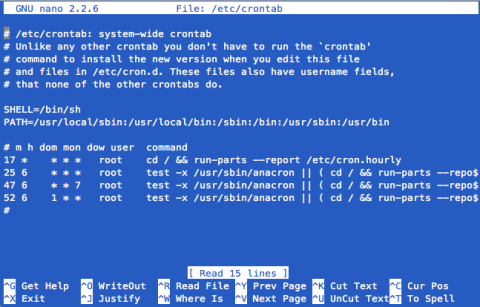
If you are a serious webmaster and have your own server, you should take special care of your data. If you are a BSP (Blog Service Provider) or have a large forum, you need backup the database every day. But it is a boring work indeed. Why not to let the computer do the dirty work? Cron can help you.
LINUX
Using Live Linux to Backup Files
If your operating system (e.g. Windows) is damaged and it can not start up any more, what should you do? I think the most things are your documents, photos, etc. Usually you can format the hard disk and reinstall the operating system. But all of your files will be removed. If you have backups there is no problem, ju…
LINUX
Linux Backup: Hard Disk Clone with "dd"
Most of Windows users may know "Norton Ghost". Norton Ghost is a backup software for hard disks. It can backup a whole hard disk or a partition to an image file. Also, Norton Ghost can copy all the contents from a hard disk to another exactly. However, Norton Ghost is a Windows software, users on other operating system (such as Linux) can not enjoy its powerful function. Fortunately, most of Unix/Linux operating system provides a command line whose function is similar to Norton Ghost, it is called "dd".
Backup Emails with Amic Email Backup
Amic Email Backup is a simple Email backup software. It can backup Emails, address book, account settings, etc. However, it can not download Emails from the remote server. If you use a Email client to manage your Emails, you can use it to backup them. Up to now, Amic Email Bakup support 9 Email clients:
GOOGLE CHROME
How to backup Google Chrome
Google Chrome is a new web browser developed by Google. Its interface is very clean and simple but it runs very fast. Google Chrome Backup is a small utility for backing up Chrome's profiles. A profile contains the bookmarks, history, passwords and your own settings. If you want to reinstall the operating system but you don't want to lose your Chrome information, you should backup the profile in advance.
WEBSITE
Two ways to Backing up WordPress
If you are a serious blogger, you must know WordPress. WordPress is the most popular blogging tools all over the world. It is written in PHP and uses MySQL database to store the articles and the comments, etc. More and more people use WordPress to build their own blogs. If you don't like your hosting company and want to buy another one, first you need to backup all articles in your WordPress. In this article I will show you two ways to backup your articles in WordPress.
WINDOWS
Backing Up Files with AceBackup
AceBackup is a lightweight (compared with Norton Ghost, etc) backup software. It is fit for personal use. AceBackup can run on most of Windows operating systems, from Windows 98 to Windows XP/2003. The features include: Simultaneous backup on remote FTP servers or any local storage devices, even CD or DVD Multiple versioning backup of the files with same name Filter to eliminate certain file name extensions or to store files with the requested file extension! ...and much more
CLOUD
Online Storage: Dropbox
Which do you think is safer, online or offline? For me, I don't think my computer is safer. Viruses, software or hardware problems may damage my important data one day. I think the online storage is safer, perhaps. Of course, you shouldn't use the online services to store your private information, such as credit card number, bank password. Of course, using the online storage service as a backup tool is much better. In this way, even thought your computer is lost, you can find it from the Internet.
WINDOWS
Backing up and Restoring Registry in Windows
Windows registry maintains lots of information about your operating system. For example, it records the installed software, whether or not the CDROM can play automatically, etc. Many softwares add some information into the registry during their installation, or change some items. Sometimes it will cause some problem…
WINDOWS
Cobian Backup: an automatical backup utility for Windows
Several days ago I wrote some articles that introduced "cron" - an time-based utility for executing some programmes on time. With "cron" you can backup some files automatically. However, "cron" is a Unix/Linux software so Windows users can not use it. In this article, I will introduce a Windows backup utility that c…
GMAIL
Gmail Backup
Gmail Backup is a small utility for backing up the Emails in your Gmail account. You can use it to download all the Emails from Google and save them as *.eml files. On Windows, you can open these files with Outlook Express. Also, Gmail Backup can restore these *.eml files to your Gmail account. It is similar to "uploading".
WINDOWS
Double Driver: Backing up drivers
What should you do after installing Windows operating system? I guess the answer is to install a variety of drivers, especially for the old version of Windows. Video card, sound card, wireless network card, micro-camera... All need their own drivers so then can work. Obviously it is a very dirty work. If a software utility can backup the drivers when the system is well, and reinstall all the drivers after reinstalling the operating system, the world would become better.