Deprecated function: TYPO3\PharStreamWrapper\Manager::initialize(): Implicitly marking parameter $resolver as nullable is deprecated, the explicit nullable type must be used instead in include_once() (line 19 of includes/file.phar.inc).
Deprecated function: TYPO3\PharStreamWrapper\Manager::initialize(): Implicitly marking parameter $collection as nullable is deprecated, the explicit nullable type must be used instead in include_once() (line 19 of includes/file.phar.inc).
Deprecated function: TYPO3\PharStreamWrapper\Manager::__construct(): Implicitly marking parameter $resolver as nullable is deprecated, the explicit nullable type must be used instead in include_once() (line 19 of includes/file.phar.inc).
Deprecated function: TYPO3\PharStreamWrapper\Manager::__construct(): Implicitly marking parameter $collection as nullable is deprecated, the explicit nullable type must be used instead in include_once() (line 19 of includes/file.phar.inc).
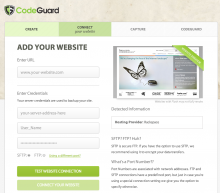
Online data backup is no longer a sweet concept but a rather necessary addition to your online business. Not only is it a breakthrough that you can depend on to secure your most important files, it is also a great time saver that allows you the space to do more productive activities.
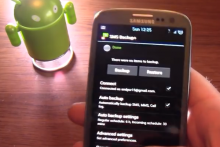
It is a well known fact that every Android device comes with limited storage that can’t handle all your SMS and other data. Backing up your SMS on Android comes with the advantage of not only securing your SMS in case your Android device gets lost but also helps you free up more space on your device.
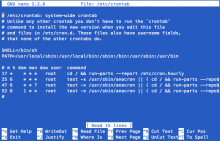
If you are a serious webmaster and have your own server, you should take special care of your data. If you are a BSP (Blog Service Provider) or have a large forum, you need backup the database every day. But it is a boring work indeed. Why not to let the computer do the dirty work? Cron can help you.
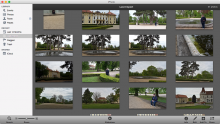
It is highly advisable that you backup iPhoto either to a disc or a drive if you really want to be on the safe side. Doing so helps you to ensure that you don’t suffer a devastating experience when your computer crashes as you are sure that your highly treasured photos won’t be lost.
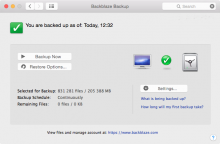
How do you backup your data? Do you have file based backups or do you backup the whole disc partition as an image? Do you use external drive or cloud? After years of trying I've found a nice solution for my needs. A few months back I started to use Backblaze Backup with cloud storage and interesting price.
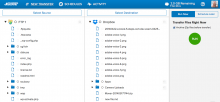
Do you rely on your hosing provider when it comes to backup? Maybe be it is not the best idea. Moving a large number of files between hosting and your computer can be a pain. But there is a new service doing it for you – Mover. It supports FTP for file transfers, MySQL databases and a large number of cloud storages including Dropbox, Google Drive or Microsoft OneDrive (SkyDrive).
Box, the cloud storage which you can use for your backup and document or photos syncing, comes with all new app for iPhone and iPad. If you will download it in the next 30 days, you will get lifetime free 50 GB cloud storage. That sounds great.
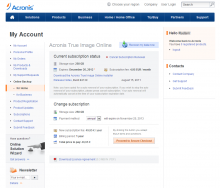
One of the possibilities how to keep your data safe and backed up is using some kind of online service providing backup solution. Acronis is one of them and if you are willing to pay for it, it provides fast and reliable solution. This article describes how to install the client and configure your backup.
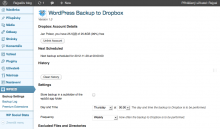
There are many potential security problems if you run a website with a larger CMS. You should regularly check for updates of your WordPress installation, you should choose the good hosting, you should apply security patches to your server but you always have to backup your website. And why not to try to backup your WordPress to the Dropbox cloud?