
You are here
How to backup Android (and HTC Hero) phone
A few days back I’ve got my first Android powered phone – HTC Hero. I have to say, it is much better than my Windows Mobile HP iPAQ 514 Voice Messenger. However I am not sure what is better – the touch screen or the Android system itself? Being the responsible user I immediately started searching the backup applications through the Android Market. There are the results.
By the way, Android market is very good place for looking for your software online. As I know, Microsoft is starting to prepare something similar to the iPhone App Store and Android Market. However the current situation is rather poor for Windows Mobile users. There is no central place to download the software.
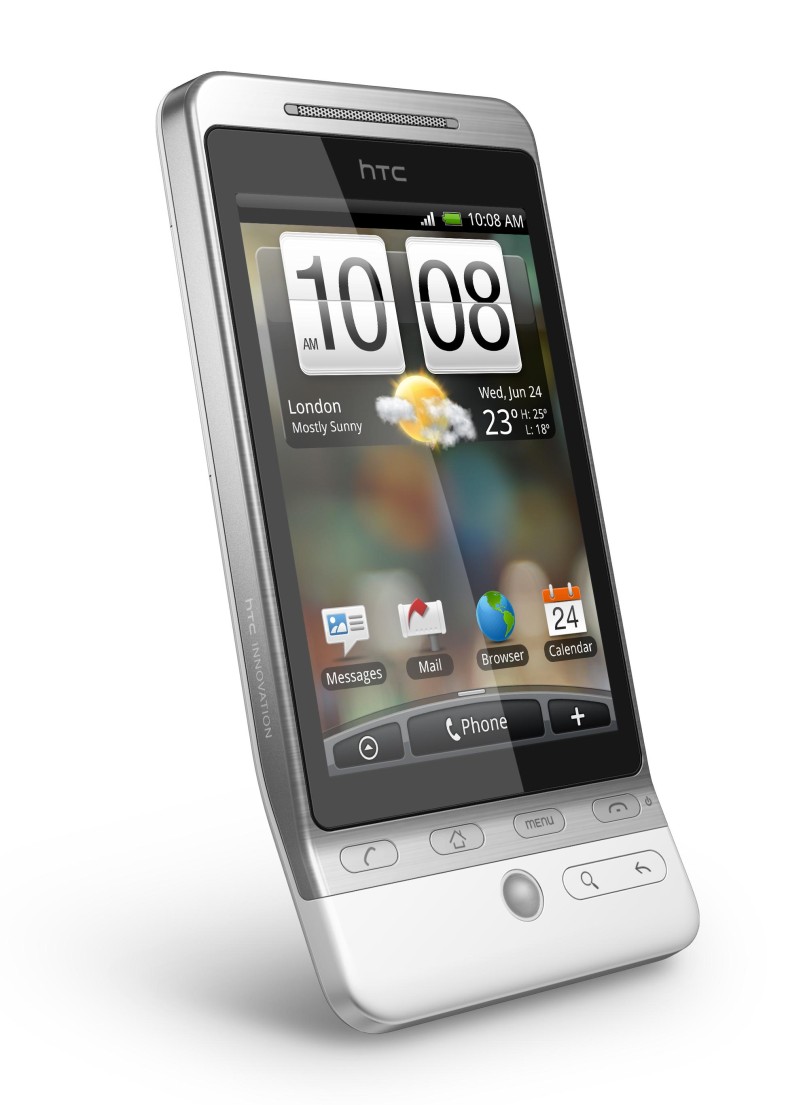
HTC Hero - Android powered phone
So, I have found several backup applications for my new HTC Hero with Android operating system. The synchronization with Google services itself is a backup tool too. As soon as you will add any new contacts, e-mails or events to calendar, the synchronization starts. If you don’t have an internet connectivity immediately, then the synchronization will be done later, of course. So using this, your basic data are backed up to the Gmail a Google Calendar.
However this is not enough. You don’t have to use the Gmail and could prefer another way to backup your HTC Hero or another Android powered phone. So what are the backup applications Android marketplace offers?
SMS Backup for the Android and HT Hero
Do you have a lot of SMS messages you wouldn’t accidentally delete or lost? Then try the application called SMS Backup. This software will backup all of your HTC Hero (or Android phone) SMS to the Gmail. At first, provide your username and password, then the software will inform you that the first backup needs to be initiated manually. So click the OK and Backup buttons and wait for a while. The SMS will be backed up using 100 pieces batch. Then you can set up Auto backup option.
After you will log in to your Gmail account, you will see a new tag with SMS label.
MyBackup – backups all your applications and data
Another interesting software is MyBackup. This is a paid application, but you have 30days trial for testing purposes. So try before you buy. Using this software is very easy. Just start it, click the Backup button and select what you would like to backup from your HTC Hero/Android phone. You have two options: Applications or Data.
If you select Applications backup, then you will be prompted with the list of all your application installed in your Android device. Click Check all (or manually select only some items) and continue with the OK button. Provide a name for this backup and wait for a while until the apps are backed up to the memory card in your device.
The Data backup gives you another two options – SD Card and Online. I have used the SD Card option since I would like to see my backed up data. And again. You will be prompted with a list including Contacts, Call log, Bookmarks, SMS, MMS, System Settings, Home Settings, Alarms, Dictionary, and data from another installed applications. Check all, click the OK button, provide the backup name and wait for a while.
The backup process can be scheduled and you can easily manage and restore from your previous backups.
By the way, the online backup here is a very good idea. You can have your backup on the SD Card, but as soon as someone will stole you phone, you will lost this backup with it together.
Backup using Astro File manager
Astro File manager is another useful app for your Android device. It is something like Total Commander for Windows or Midnight Commander for Linux. This great freeware file manager has a backup functionality too. It is able to backup your application to the SD card.
Click the Menu button on your HTC Hero device (or something similar on another phones), select Tools and tap the Application manager/Backup option. The Astro will load the application list. Select one, more or all of the applications and click the Backup button. Your software will be copied to the SD card.
Your tips for Android backup
Do you have another tip for Android backup application? Let us know using the comment below this article. I’m sure all of the readers will appreciate this.
And just a note at the end. If you would like to see what is in the Android Market using your desktop web browser, go to the www.cyrket.com. It is and Android Market Browser available for everyone.


Comments
HTC HD2 and backup support
Hello, I would like to know, will do the backup applications mentioned above work with the new HTC HD2 phone? I'm thinking about buying this, but I need to know if there is a backup option available for HTC HD2 first. Thanks.
Re: HTC HD2 and backup support
Hello. If you will check the HTC Hero and HTC HD2 images, you will see only a few differences in hardware and screen. Thanks to HTC, the user interface of both of the phones looks similar. However, HTC Hero is an Android powered phone, but the HTC HD2 is powered by Windows Mobile 6.5. So you couldn't run Android applications on it.
If you are looking for a backup solution for Windows Mobile 6.5 phones (including HTC HD2), try Microsoft's new solution My Phone. It provides automatic online backup, photos sharing, online access to your contacts or SMS's and searching for a lost phone.
Jan Polzer, Backup HowTo owner
Hero
Hi,
I’m facing a problem with my HTC hero, I tried to sign in to my google account and I get this error message
“Can't establish a reliable data connection to the server”
Market doesn’t work with me either :(
Please advise me if there is any way to resolve this problem without rest my device.. In addition, how can I backup my data (contact, calendar and sms messages) in my computer.
Your assistance is appreciated
Maryam
Re: Hero
Hello. I think you should check if the Wi-Fi or Mobile Network is available at first. Check the status bar on the top of the Hero's display.
The desktop backup could be done via HTC Sync I think.
Jan Polzer, Backup HowTo owner
This is a problem I had too.
This is a problem I had too. Unfortunatley you will have to factory reset on the phone ( back up your data). You have to register your google account first thing out of the box. Before you go throu all this, It may be an Idea to check that you have the latest firware update as well at the same time.
If you backup to the data
If you backup to the data card you can always move or copy the zip onto your pc through the usb cable link. (if the online option remains a problem).
Re: If you backup to the data
Yes, that's true.
Jan Polzer, Backup HowTo owner
backup files?
Hi - can you tell us where the backup file is or what it's called? I've backed up my data but don't see it on the SD card. thanks
Re: backup files?
Hi. Check the backups or rerware/MyBackup folders on your SD card.
Jan Polzer, Backup HowTo owner
where is the thank u button...?
hi,
me just bought htc hero from india and immediately flew to uk..
now the problem was that i wanted to backup all my stuff from the phone
and luckily saw this forum/website..
greately IMPRESSED with the knowledge u share..
keep it up!
THANKS A LOT..
cheers :D
Re: where is the thank u button...?
Thanks :-)
Jan Polzer, Backup HowTo owner
Android backup & migration tool from WM6
Although I've not tried it yet, Sprite (spritesoftware.com/products/android/backup) provide a backup app for Android devices for $4.99. Looks like it's still developing in functionality but my experience of Sprite under Windows Mobile 6 has been great - very reliable and effective. Sprite have also provided migration tools to move between WM ROM versions.
For those moving platforms, Sprite provide a free WM6 to Android set of migration tools which allows you to move across SMSs, contacts, bookmarks etc.
paid apps?
Do these backup apps backup paid apps also,or will I Have to pay for them again?
Re: paid apps?
Sorry, i haven't tried it yet because I use only free apps today. But I will try later.
Jan Polzer, Backup HowTo owner
How to restore Contacts from WM Phone to Hero?
Excellent article, I have a WM6.5 phone though and I recently took a backup of my contacts (more than 300+) and texts on my SD Card using PIM Backup. My question is - is it possible to somehow transfer these contacts & texts from my SD Card to HTC Hero? (I wd be getting Hero tomorrow after a loooong wait..). they would be stored in some proprietary format on SD Card I am assuming which might not be readable by an Android Phone?
Re: How to restore Contacts from WM Phone to Hero?
Thanks. I would try to log in to the Gmail account you will use with your new HTC Hero and go to the Contacts. There you can import them from various format, starting with universal CSV and including Outlook, Outlook Express, Yahoo! Mail, Hotmail, Eudora and others. Then you will simply synchronize them with your HTC Hero.
Another option is to use any conversion utility. Which format are your contacts stored in now?
Jan Polzer, Backup HowTo owner
Thanks Jan! I took a backup
Thanks Jan! I took a backup using PIM Backup and all the contacts, texts, appointments etc are stored as a .pib file (which is nothing but a .zip file only). Within which there are files in various formats, but just rename them as .csv and they can be viewed perfectly.
I had simply forgotten about the importing contacts in Gmail trick, shall try it out and sych with my HTC Hero!
Thanks once again.
PS : Is it possible to get an auto alert on my email id when you post a new comment here?
Re: Thanks Jan! I took a backup
Fine :-)
Thanks for your suggestion. You should be able to go to www.backuphowto.info/tracker where you can see (as a registered user) information about new and unread posts and comments.
Moreover I have added a new subscribe options for comments, so now you should be alerted to e-mail if wanted.
Jan Polzer, Backup HowTo owner
paid apps backup
So, I have a good news. Astro is able to backup the paid apps and apps installed from third party sources (outside the Android Market) too.
Jan Polzer, Backup HowTo owner
Saurabh/ Jan Could you please
Saurabh/ Jan
Could you please elaborate on how you achieved these results?
I re-named the .pib file to .zip, then successfully unzipped it and re-named the resulting files to .csv. Unfortunately, these aren't recognised by Outlook....
Also, I tried logging into Gmail on my PC and tried to import contacts, but to no avail. I tried the .pib file and the .csv file
Can you help? cheers
Re: Saurabh/ Jan Could you please
Hi, the CSV import to Gmail Contacts should work.
Jan Polzer, Backup HowTo owner
thanks for the reply jan, i
thanks for the reply jan,
i FINALLY managed to get activesync working on my xp laptop, backed up to outlook, and restored to the hero from outlook.
i will now be backing up to google contacts from a .csv created by outlook, as the csv files unpacked from the .pib file just wouldn't work
thanks again, and great site btw
found an app that does the
found an app that does the trick. Contact2Sim
New Backups
I'm surprised you haven't updated this with a review of Sprite Backup. I used it (and the free migration tool) and it has all worked fantastically.
I agree, Sprite backup for
I agree,
Sprite backup for Android is an excellent backup program
It backs up not only your dat but also your system stiings and all the hanges you made on the several desktops of your phone
Costs only 0,99 dollar
NANDROID
guys, use the custom recovery image from MoDaCo and use nandroid backup. its the most powerfull backup-tool for android, i've seen and used so far! It backs up everything, all your settings and your messages, widgets and desktops
i cant suggest anything else.
cheers
WaveSecure
Wavesecure is usually a paid service, but is offering a free lifetime subscription to Android users til March 31st, 2010, so get in quick. It's a great security tool and back-up service.
Here's a link: https://www.wavesecure.com/wavesecure/android.aspx
Re: WaveSecure
Thanks, it seems like useful app for Android users.
Jan Polzer, Backup HowTo owner
exporting all contacts and texts to PC from HTC Hero and...
Hi - I'm sorry, I've read these threads and still confused as I'm running out of time and I can't try all the suggestions here and none seem to fit exactly what I need to do. I have an HTC Hero with lots of texts I want to keep and a very full contact list most WITH PICTURES added. The phone is faulty (signal, etc) and so is being collected tomorrow and replaced with a new identical phone. I keep my battery, SIM (I think SD card too) and all cables, et.c, and just hand over the phone. What I need to be able to do is export all texts and contacts WITH PICTURES in the correct format so that I can then import them back into my new phone so that the contacts will come intact with multiple phone numbers per contact, associated picture, etc. I signed up to googlemail as I read that that was the way to go, but there is no option for htc hero only iphone, blackberry, etc. Could someone please give me a real idiot's step by step guide (no assumptions) listing exactly what I should do (I mean press this, select that, not just "now export your contacts" when they don't tell you HOW to export your contacts). I am on a really tight timescale here as the phone leaves tomorrow and I really don't want to lose all my data. PLEASE HELP URGENT!!! Thanks so much.
Sorry - I should add that I don't want to synch with Outlook as I don't want ALL my Outlook contacts on my phone, I just want exactly what's on my phone now to be on my new phone tomorrow. Thank you.
Re: exporting all contacts and texts to PC from HTC Hero and...
Hello Charlie, I think that a syncing with Google will solve your problem. I was in the similar situation. I do syncing of my mobile via WiFi from Gmail app in the HTC Hero. After that, all my mails and contacts are available with all their information from the web too.
When I did sync to the new phone, the contacts were downloaded including their pictures.
Jan Polzer, Backup HowTo owner
Thanks but what about all my
Thanks but what about all my texts? Can I save them to gmail too and then import them back to my phone again?
Texts
Which texts do you mean?
Jan Polzer, Backup HowTo owner
I mean all the text messages
I mean all the text messages that are on my phone in and out to my contacts which the Hero keeps as a message thread between you and the contact. How do I get these off my phone and back onto my new phone? And I still can't find the GMAIL app that I need that you mentioned to export my contacts - will that also export all the pictures and 'groups' that I've set up on the phone and seamlessly bring them all back in? Basically I'm looking to duplicate my phone I suppose!
Re: I mean all the text messages
Gmail app is in All programs list. The text messages could be backed up by WaveSecure, which offers its Android version free till the end of March.
Jan Polzer, Backup HowTo owner
Thank you I'll look there.
Thank you I'll look there. Will the GMAIL app save all the contacts, with their designated mobile and home numbers (ie. multiple numbers per contact) and their pictures ready to import back into the new phone (when it arrives in 50 minutes!!!)
When I moved from HTC Touch to Hero, I exported all my contacts on the Touch to the Sim Card then inserted the SIM card in Hero and imported them all, no problem. Then I just had to edit them all to move name/surname and add the missing letters to people's names then add pictures to each one. having done all that I'd like to be able to not have to do it all again so will GMAIL app allow me to save all contacts ready for import? Then how the hell do I import if I can get that far? Sorry to be a pain, I can't believe this is not straightforward (maybe it is and I'm just being dim). Thanks for your help.
Gmail
Simply. The Gmail app in HTC Hero saves all your contacts, their phones, their photos and other data to your Gmail account. Then you can check it from the web browser in your computer. Then you can do sync on the new phone and the people will be downloaded.
Do not forget, that the contact has to be a Google type, not the type for the SIM only. When creating the contact, HTC Hero gives you option usually. SIM contacts are moved together with the SIM card.
Jan Polzer, Backup HowTo owner
smsbackup wont log me in
Hey
Thanks for a nice and super usefull webpage!
I have aproblem:
I used smsbackup on my first hero and it worked flawlessly -
unfortunately i lost the device and had to get a new one - now i have the new one, and i've installed smsbackup, but it wont backup - it tells me that:
"Please make sure you enabled IMAP in your Gmail account settings and check your username and password"
I checked all three things numerous times.
Do you have an idea what can be the problem and how i can fix it?
Thanks in advance,
Lasse
Re: smsbackup wont log me in
Hi, this is strange. SMSbackup works for me, so I don't know. Maybe someone other....
Jan Polzer, Backup HowTo owner
I just thought I would send
I just thought I would send you an update so this thread can be concluded and may be of help to others. I couldn't get my phone to work with Gmail because I had major connection problems which was one of the reasons I was getting a replacement. So I had to let go of my phone, all the contacts, all the pictures and all my texts and give them to the Orange man who swapped with the new phone. Then came the dilemma. I had the option of saving all my contacts from my Touch to import into the Hero, as I had done just weeks ago when i got the new phone. However, becasue of your advice saying that Sim contacts stay as Sim contacts, I figured I would be in the same boat next time. So I went to my GMail account and manually input all my contacts using my old Touch, and added pictures. My Hero was beside me when I was doing this and I was wondering how to get them down from GMail into my phone. When I picked up my phone they were all already in there as I was typing! Oh the wonders of technology (pretty scary too....). The pictures sync up too. So now at least I know that if I need to replace my phone again, all my contacts and pictures are safe in the ether. Sadly, I had to lose my texts. A final last ditched call to HTC themselves, who were very helpful even though they couldn't help - told me that I couldn't save my texts. SURELY with today's technology and all the amazing features of this phone, they would make a simple backup system and it shouldn't be so complicated for both contacts and texts. Nothing in the user guide to really help you and despite how this thread may read, I am not completely thick when it comes to technology, or maybe.....
restoring on HTC Hero
sorry - I'm being an idiot!
I have backupped my phone on ASTRO file manager and installed the latest update as instructed
everything is fine but I cannot figure out how to restore from the backup!
I cant seem to even find how I access anything on my SD card!
help!
do I just need to re-download
do I just need to re-download ASTRO from the Market?
Astro FIle Manager
Yes, you do. Download ASTRO from the Android market and use the restore function.
Jan Polzer, Backup HowTo owner
Titanium Backup ?
Hi Jan,
I just wanted to let you know that there's a new player in the Android backup apps: Titanium Backup.
Just look at the rave reviews:
http://www.cyrket.com/p/android/com.keramidas.TitaniumBackup/
It is a free app (with Donate version also available) and can backup EVERYTHING on the phone, including Wi-Fi access points. It can backup/restore normal and protected apps in no time and with zero clicks. It's the only backup tool that will preserve the Market links. With the Donate version it's even faster and you can keep several backups per apps. It can even uninstall system apps !
One drawback: it does require a rooted phone.
Re: Titanium Backup
Hi Joël, it seems like a great app for backing up the Android phones. I think many people find it useful.
However for me, personally, the drawback with rooting the phone, is really big drawback ;-)
Jan Polzer, Backup HowTo owner
HTC Hero memory
Ive got a htc hero on the way but im worried that i'll run out of space for storing apps on the internal memory?? can u store them on an SD card? or if you back them up r they useable from the card??
Thanks
Jimmy
Re: HTC Hero memory
The app for Android are small, don't worry. And their large data (GPS navigation for example) could be loaded from SD card.
Jan Polzer, Backup HowTo owner
How to backup using ASTRO
Hi Jan
I tried backing up using my ASTRO and it threw me an error message as follows:
"The backup directory/sdcard/backups/apps could not be created. Please change the directory in the preferences"
I tried changing the name of the directory in the preferences but still no avail. Please assist.
Looking forward to your reply soonest. Cheers, S
Re: How to backup using ASTRO
Hi, this is strange. I didn't ever notice this problem. Maybe the card is full or there is a general writing problem.
Jan Polzer, Backup HowTo owner
Thanks, I realised that I
Thanks, I realised that I have mounted by USB to my PC and thats why it didn't work. Now it works smoothly.
While I am using sms backup, the notification bar suddenly stops and it never increases for e.g. backed up 48/100 messages...its stays there for a longer time and after a while i stopped backing up and restarted it again...it worked fine and after a while, it does stop again...I keep repeating the process. Is this OK ?
I would also like to know is it possible from the phone to view how many msgs hv been backed up, etc...(in other words a backup log)....Please assist............
SMS Backup on Android
The easiest way how to check how many SMS has been backed up is to load the Gmail in your computer web browser I think.
Jan Polzer, Backup HowTo owner
Pages