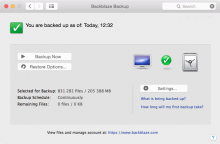
Are you looking for powerful yet easy to use backup application which works at files and folders basis? So you can try the Backup4All. It offers files and folders backup. You can use other folders, external drives, CD, DVD, Blu-ray, network, FTP or SFTP servers as storage for your backup. You will like its plugins philosophy saving you time and doesn’t require advanced knowledge.
Backup software
Backup4All Professional 4.3: backup solution for beginners
CopyTrans 4: transfer iPod to iTunes/iPhone to computer
Have you ever lost your computer, had it stolen or accidentally erased your computer’s music? In those times, you’d probably wish you could recover your music from your iPod or iPhone! Fortunately I’m presenting you with the solutions that will allow you to do just that! Super easy, hassle free: CopyTrans 4!
How to backup with Ubuntu One and get 2 GB storage free
Popular Linux distribution Ubuntu offers from version 9.04 integration with interesting online backup service called Ubuntu One. After the subscription, you will get 2 GB secure online storage for free; much larger 50 GB storage is available for a small yearly fee. So how to backup with Ubuntu One?
How to backup Android (and HTC Hero) phone
A few days back I’ve got my first Android powered phone – HTC Hero. I have to say, it is much better than my Windows Mobile HP iPAQ 514 Voice Messenger. However I am not sure what is better – the touch screen or the Android system itself? Being the responsible user I immediately started searching the backup applications through the Android Market. There are the results.
Verbatim PhotoSave DVD: how to backup your photos in three easy steps
I don’t remember how long time ago Verbatim released its nice tool for Windows beginners worldwide, but my first look at this DVD was about a half year ago. Verbatim PhotoSave DVD is a special blank 4,7 GB DVD medium which contains a backup software for the photos and other pictures in your computer. As it works with three clicks, it is ideal for the beginners or for not so advanced users.
Looking for the best free backup utility
Backup is mandatory nowadays, no matter if you run a business and you need to backup sensitive data or if you have a home computer and need to store all your important pictures. In a world of hazards (such as the computer world) where anything can fail at any moment, it is best to be prepared for the worst rather than let it happen and regret your choice later.
First and only backup for iPhone OS 3.0
A few days back we could see a new operating system for the iPhone and iPod Touch. This new iPhone OS 3.0 will be presented in a new iPhone 3GS and is available for current iPhone 3G owners for free. If you are using the iPod Touch, you can upgrade its OS to this new one for a small fee. But what about the data backup? There is about twenty competitors in iPod backups market, but the only one has the support for iPhone OS 3 as I know. Read more about CopyTrans 6 and CopyTrans Photo.
NasBackup: reliable backup to a network location
Network backup is one the the most reliable solutions I think. If you have a NAS server or a classic file server anywhere in your network, you can schedule your backup using open source utility called NasBackup.
Try new freeware alternative to iTunes
CopyTrans team released a new CopyTrans Manager. Another software from this vendor is well known to all BackupHowto.info readers. Using the CopyTrans software you can backup all the data from your iPod without installing the iTunes software. Check the video showing up the new CopyTrans Manager. It's not a backup tool, but I think it could be interested for you. It's an iTunes alternative (or iPod/iPhone manager) that enables iPhone and iPod users to add music, videos, podcasts to their favorite devices. Copytrans Manager also allows to create and manage playlists,edit song tags, play music and display artworks to name a few.
CopyTrans 3 is out: backup for all iPod players and iPhones
I mentioned the previous version of CopyTrans earlier this year. This unique backup solution for iPod and iPhone owners offers great and simple way to backup all your data from these players and phones. Now, the new better version is available.
If you are using the iPod, iPod Touch or the iPhone (did you heard about the new firmware 3.0 already?), you should think about backing up your data. Or do you want to loose your photos, contacts, music etc.? Beware of robbery…


Recent comments
13 hours 43 min ago
16 hours 57 min ago
21 hours 56 min ago
22 hours 12 min ago
1 day 24 min ago
1 day 18 hours ago
1 week 1 day ago
1 week 2 days ago
1 week 3 days ago
1 week 3 days ago