
GUIDES
browser
How to back up and move your browser data — bookmarks, passwords, history and settings in Firefox, Chrome and others.
FIREFOX
How to backup Firefox profile from Windows command line
Firefox has numerous add-ons and third party apps helping you back up its user profile. This contents your browsing history, cookies, stored passwords and other information about your Internet browsing. If you want to back up Firefox profile from Windows command line, try BAT file named Batckup Firefox.
GOOGLE CHROME
Google Chrome Backups
Google Chrome is quickly becoming everyone's favorite web browser. It's quick, sleek, free, and clean and made by everyone's favorite search engine company. Web browsers keep track of a lot of user data that makes your web experience even better. Data like history, bookmarks, cache, saved passwords are all saved by the web browser to speed up web browsing and to streamline your surfing experience.
FIREFOX
Easy Firefox Backups With MozBackup
Mozilla Firefox is a very popular and stable web browser that gave Microsoft a run for their money (Internet Explorer) when it first hit the scene. It does everything a web browser is expected to do in this Web 2.0 era and a lot more too.
FIREFOX
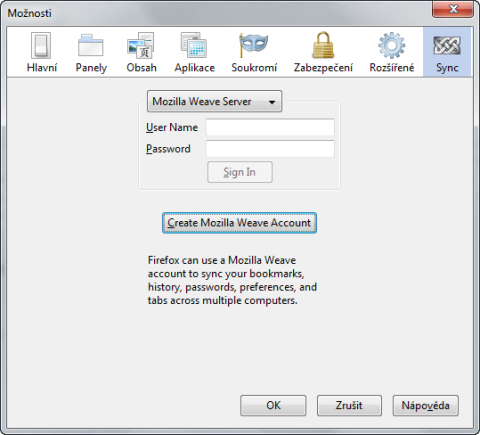
Mozilla Weave Sync: how to backup and synchronize your Firefox
A few days back the Mozilla Foundation released their long awaited Firefox extension called Weave Sync in its first stable version. Thanks to Weave Sync there is no need to think about how copy Firefox settings and data between two or more installations or how to securely backup them.
BROWSER
How to backup internet favorites in different browsers
Whenever we want to format our hard drive, or we change computers or we simply want to reinstall our operating system, we lose our favorites and bookmarks and it can become rather frustrating. Personally, I have been backing up favorites since 2002 and you can notice I have almost 7 years old bookmarks (and most of them are still useful).
BROWSER
BackRex: backup all Internet Explorer settings
Internet Explorer has many items which you would like to have backed up. URLs of your favorite pages, proxy settings, security zones, cookies, history, forms… This all is very important for you and should be saved to a secure storage before you will upgrade your IE installation or for computer crash problems. Freeware utility BackRex will help you.
GOOGLE CHROME
How to backup Google Chrome
Google Chrome is a new web browser developed by Google. Its interface is very clean and simple but it runs very fast. Google Chrome Backup is a small utility for backing up Chrome's profiles. A profile contains the bookmarks, history, passwords and your own settings. If you want to reinstall the operating system but you don't want to lose your Chrome information, you should backup the profile in advance.
FIREFOX
Backup Firefox bookmarks (and more) with Google Browser Sync
You never know when you computer goes wrong in the least suitable moment. Setting up a replacement computer may take several days before you remember what needs to be re-installed and configured. Try to prevent this kind of problems. If you are using the Firefox web browser try the Google Browser Sync extension which automatically backups the bookmarks, history, cookies and passwords to a remote Google servers.
FIREFOX
How to backup Firefox data
Firefox is a revolutionary open source web browser that has redefined internet browsing. The coolest thing about Firefox is extensions. Extensions as their name suggests are something that extends Firefox’s functionality. There are loads of extensions available at addons.mozilla.com developed by several people.
FIREFOX
How to backup Firefox profile
Do you use the Firefox browser? It has a nice feature that allow you easy backup all of its data - your complete profile, including bookmarks, passwords, history, installed extensions or themes. All you need to do is copying its profile folders to another location. You can copy them to USB drive and back (e.g. if you reinstall you PC). There are different methods depending on your operating system.
Don't lose your browser
Bookmarks and saved passwords are easy to forget until they are gone. These guides show how to export or sync browser data and restore it on a new computer.