
How to backup Firefox data
Firefox is a revolutionary open source web browser that has redefined internet browsing. The coolest thing about Firefox is extensions. Extensions as their name suggests are something that extends Firefox’s functionality. There are loads of extensions available at addons.mozilla.com developed by several people.
Taking Backup
Firefox offers a great deal of features such as extensions, themes, bookmarks which we use extensively. There are often several preferences, saved passwords, etc. Any Firefox user, especially developers who develop extensions need to backup their data. My friend Jan has already written a very good article on how to backup Firefox profiles, but I’ll introduce you to a much easier and more effective way to backup your Firefox data using the Firefox extensions FEBE along with CLEO.
FEBE – Firefox Enviroment Backup Extension
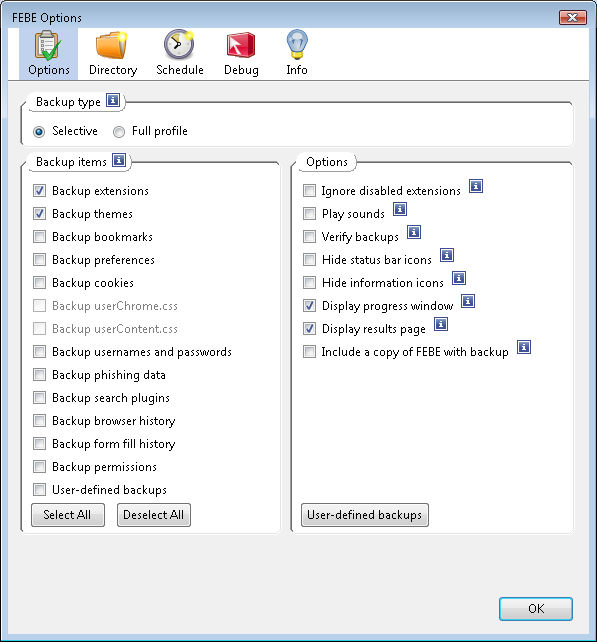
FEBE is a very cool extension which allows you to backup your Firefox data, whether you want to backup extensions, themes, bookmarks, preferences and other Firefox data or the entire profile itself. FEBE also allows you to schedule backups at user defined time on a daily, weekly or monthly basis as per your needs. FEBE provides several options which you can use to backup different kinds of data based on the selected options.
CLEO
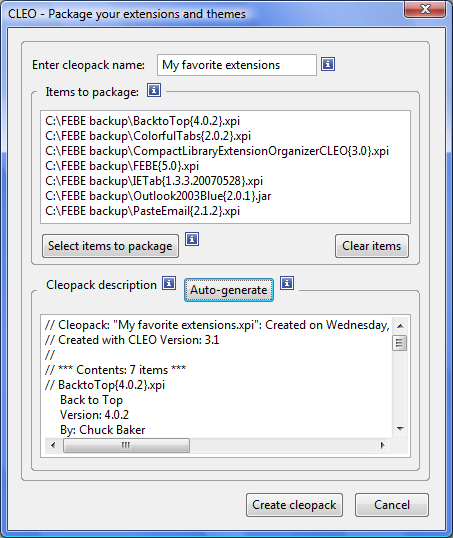
CLEO is another extension that works with FEBE and allows one to export the backup to a single installable XPI file. If you use Firefox across multiple personal computers or in both home and office computers, FEBE along with CLEO gives you an opportunity to be able to keep your separate firefox installation across multiple systems in sync.
Restoring the backup
You can define the directory where you want FEBE to take your backup. When you need to restore your backup just click on the menu Tools | FEBE | Restore and then click on the particular data you wish to restore. If you are on a different system where you don’t have the backup files created by FEBE, just copy the backup files to that system anywhere and then go to the menu Tools | FEBE | Restore | Restore User-defined backups | FEBE data and then select the backup you copied.
If you use CLEO, it creates a XPI installable file which you can install on the target Firefox installation and restore all your data.