
GUIDES
Windows
Windows backup guides — File History, System Image, restore points and third-party tools.
BACKUP HOW-TOS
Windows 7 Backup and Restore
Windows 7 sports a greatly improved Backup and Restore utility that is leaps and bounds over previous Windows versions. Windows 7 makes the creation of safety copies of all your essential data just in case a catastrophe should strike, like an insidious piece of malware wiping everything out.
WINDOWS
Windows Registry Backup
Every time you install a new application on your Windows computer, the application will most likely make changes to a huge application database called the "Windows Registry". Think of the Windows Registry as a large collection of application and system settings and configurations. When the Windows Registry is in decent health, Windows is happy and runs smoothly.
WINDOWS
Backup Partitions in Windows
Most of the time, when Windows is installed, all of its system files that make up the operating system are dumped onto a single hard drive partition (C: drive by default). This is the easiest way to install Windows.
WINDOWS
Smaller Backups with WinRAR
Reducing the size of your backups is key to conserving storage space. The smaller your backups are, the more storage space you'll have (flash drive, external hard drive, cloud). If you backup your data to an online storage service (Amazon Cloud), it will behoove you to make your backups as compact as possible, as online storage services usually charge you for the amount of storage space you consume.
LINUX
How To Back-up Linux Partition From Windows
As you already know Linux is an operating system that runs on your computer. Typically it is not compatible with windows, so when you load this into your system you are going to have a partition that will separate your Linux system from your Windows system on your hard drive.
WINDOWS
Backing Up With Windows Briefcase
The Windows Briefcase feature has been around for a long time, but a lot of users don't take advantage of this feature because they don't know what it does or don't see how Briefcase makes backing up and synching all your important files a snap to do.
WINDOWS
Backup Encryption With TrueCrypt
Keeping backups of all your valuable documents is highly important. And if your documents contain sensitive information (financial records, tax documents, receipts, etc.) it's a good idea to encrypt and password-protect your documents from prying eyes. Imagine backing up all your financial records to your laptop onl…
BACKUP HOW-TOS
How to backup Windows 7 Licenses and Serials
When you have to re-install your Windows 7, you will have to reactivate the system again after the successful re-installation. This could be a problem as Microsoft limits the automatic reactivation counts. Thanks to one small utility you can backup and restore Windows 7 Retail, OEM and MAK licenses easily with just one click.
WINDOWS
Window 7 Back-up: 3 Applications For You
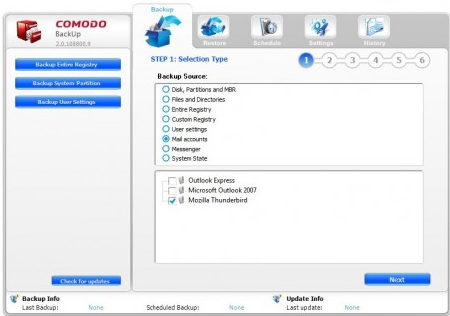
When it comes down to computers, whether it’s a Mac or Windows machine, they have one thing in common: they need to be backed up. Some may ask: why? Well, in case you need to reboot your machine for system failures. You don’t want to lose important data do you? Coming up I’m going to show you some of the best backup…
WINDOWS
The Ultimate Guide To Back-up: How To Back-up Your Precious Files In No-Time
Every person that owns a computer or other technological achievement knows all too well the burden of backing up their systems. There’s quite an extensive procedure to follow when backing up comes into play and a few decisions will have to be made to make it work right.
WINDOWS
Backing up Your System: What Is The Appropriate Method For Your Computer
As PC users we have to deal with the hardships of owning a sometimes less than stellar rig. For this reason alone our systems tend to die if they are infected with a virus for downloading a bad file, or if space is limited and you simply need to do a memory wipe, these problems will require a system restoration or w…
Backing up on Windows
Windows includes File History and System Image, and there are many third-party tools. These guides explain what each one protects and how to restore from it.